

A threat actor tracked as Storm-2561 is distributing fake enterprise VPN clients from Ivanti, Cisco, and Fortinet to steal VPN credentials from unsuspecting users.
The attackers manipulate search results (SEO poisoning) for common queries like “Pulse VPN download” or “Pulse Secure client” to redirect victims to spoofed VPN vendor sites that closely mimic VPN solutions from legitimate software vendors.
After examining the attack and command-and-control (C2) infrastructure, Microsoft researchers discovered that the same campaign used domains related to Sophos, Sonicwall, Ivanti, Check Point, Cisco, WatchGuard, and others, targeting users of multiple enterprise VPN products.
In the observed attack, Microsoft found that the fake sites link to a GitHub repository (now taken down) that hosts a ZIP archive containing a fake VPN MSI installer.
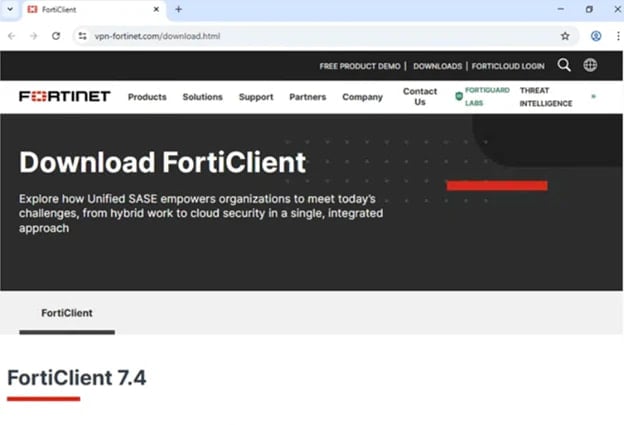
Source: Microsoft
When executed, this file installs ‘Pulse.exe’ into %CommonFiles%\Pulse Secure, and drops a loader (dwmapi.dll) and a variant of the Hyrax infostealer (inspector.dll).
The fake VPN client displays a legitimate-looking login interface that invites victims to enter their credentials, which are captured and exfiltrated to the attacker’s infrastructure.
The malware, which is digitally signed with a legitimate, but now revoked, certificate from Taiyuan Lihua Near Information Technology Co., Ltd., also steals VPN configuration data stored in the ‘connectionsstore.dat’ file from the legitimate program’s directory.
To reduce suspicion, the fake VPN client displays an installation error after stealing the credentials, and redirects them to the real vendor’s site to download the legitimate VPN client.
“If users successfully install and use legitimate VPN software afterward, and the VPN connection works as expected, there are no indications of compromise to the end users […], [who] are likely to attribute the initial installation failure to technical issues, not malware,” explains Microsoft.
Meanwhile, in the background, the infostealer malware creates persistence for Pulse.exe via the Windows RunOnce registry key, ensuring the infection survives system reboots.
The researchers recommend that system administrators enable cloud-delivered protection in Defender, run EDR in block mode, enforce multi-factor authentication, and use SmartScreen-enabled browsers.
Microsoft has also provided indicators of compromise (IoCs) and hunting guidance to help detect and block this campaign early.

Malware is getting smarter. The Red Report 2026 reveals how new threats use math to detect sandboxes and hide in plain sight.
Download our analysis of 1.1 million malicious samples to uncover the top 10 techniques and see if your security stack is blinded.